Google Snake Unblocked — Play Free Online
More Arcade & More games

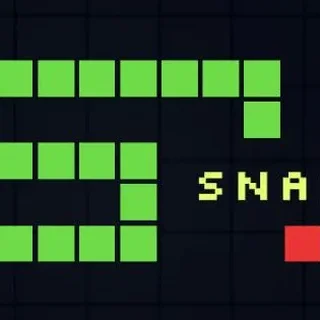


Google Snake unblocked: play Google Snake online free right here in your browser — no download, no sign-up, works on a school Chromebook.
Google Snake is a modern, responsive recreation of the legendary arcade title that defined early mobile gaming. Players take control of a bright green snake gliding across a clean checkered grid. With each piece of fruit consumed, the snake grows one segment longer, turning every open patch of grass into tight, high-stakes maneuvering space.
While the premise is delightfully simple, a quick match demands genuine focus. When your snake is short, you can dart straight across the board toward food without worry. Once your tail stretches across multiple lanes, however, every turn requires foresight to avoid boxing yourself into an inescapable dead end.
How to play
Controlling the snake is instant and responsive:
- Arrow Keys or WASD: Change the direction the snake is slithering (Up, Down, Left, or Right).
- Swipe Controls: On mobile devices and tablets, swipe across the screen in the desired direction.
- Pause / Menu: Spacebar or the on-screen buttons let you pause or restart after a crash.
Each round begins at a gentle pace with a single apple placed on the board. Direct your snake head into the apple to collect it. A new piece immediately spawns elsewhere on the board. The match ends the moment your head hits the boundary wall or collides with any part of your own tail.
Tips for high scores
Reaching a triple-digit score requires moving with a plan rather than reacting at the last second:
- Ride the perimeter: Circling along the outer edges of the grid gives you a reliable route and prevents you from tangling your body across the open center.
- Use zig-zag sweeps: As your tail lengthens, snake back and forth across lanes in a tight zig-zag pattern. This packs your segments neatly together and preserves open runway.
- Never chase food blindly: If an apple appears deep inside a loop created by your tail, circle around until the space clears rather than diving directly into a trap.
- Buffer your inputs: Press your next turn key a split second before reaching the target grid square so your snake turns cleanly without overshooting.
Similar games on Duck Life 3
If you enjoy the fast reflexes and bite-sized challenges of Google Snake, explore other arcade and skill titles on Duck Life 3. Crossy Road offers a similar blend of precise timing and quick lane navigation. Fish Eat Fish turns the classic growth mechanic into an underwater feeding frenzy where you eat smaller targets to get bigger. For players who enjoy watching steady evolution over time, Collect N Evolve delivers satisfying upgrades across longer play sessions.
Questions about Google Snake
Is Google Snake unblocked at school?
Google Snake runs in an ordinary browser tab from ducklife3.org, with nothing to download or install, so it plays on most school Chromebooks and work computers. If a network filter blocks the site, only that network's administrator can change it.
What are the controls for Google Snake?
Use the Arrow keys or WASD keys on your keyboard to change direction. On touchscreen devices like phones and tablets, swipe in the direction you want your snake to travel.
How do you score points in Google Snake?
Every piece of fruit you eat awards points and adds a new segment to your snake body. The game continues until you bump into a wall or your own tail.
Can you play Google Snake on a Chromebook or phone?
Yes. Google Snake runs directly in modern web browsers using HTML5, making it playable on Chromebooks, desktop PCs, laptops, and mobile devices without extra installations.
Is there an end to Google Snake?
A standard run ends when you fill the entire grid with your snake body or crash into an obstacle. Most players focus on achieving their personal best high score.